Vita Solitaire for Seniors
- 4.9
- Rating
- 5.00M
- Installs
- Free
- Price

 Analysis by App-foxy
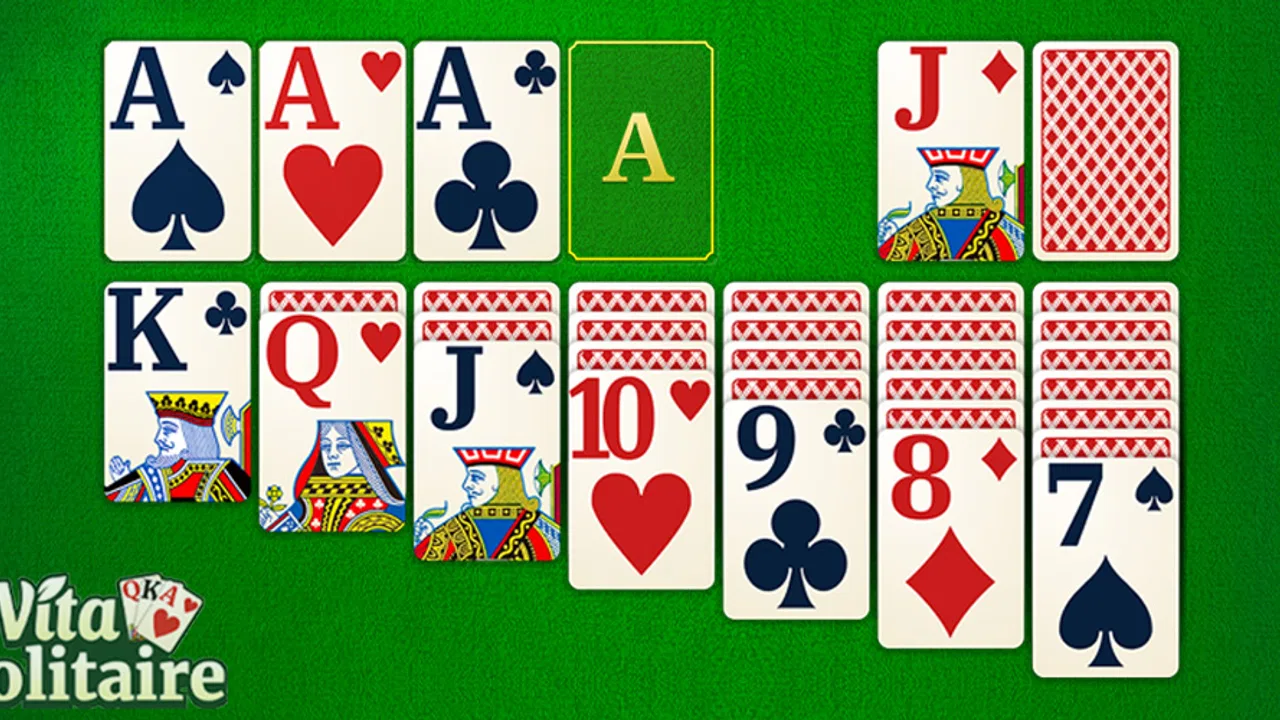
I spent time with Vita Solitaire for Seniors as a simple, relaxed card game rather than treating it like a competition app. That distinction matters. Its main appeal is not a complicated progression system or a large collection of unusual rules; it is the familiar rhythm of arranging cards, spotting available moves, and clearing a deal at a comfortable pace. The presentation is aimed at making classic solitaire easier to see and handle, which gives it a clear purpose for older players and anyone who prefers a less cramped mobile interface.
Created by Vita Studio, this free card game is available for people using Android 7.0 or later. It is rated for Everyone, and its current version is 1.35.9. The game has built a substantial audience, with more than five million installs and an average score of 4.9 from roughly 317,000 ratings. Those figures do not replace personal testing, but they do suggest that the straightforward design works for many people who want a familiar pastime without a steep learning curve.
How the everyday solitaire routine feels
My usual session starts with the same basic habit: open the game, look over the layout, and make the obvious moves before trying to solve the whole deal in my head. That is the right way to approach this version. The cards are the focus, and the larger presentation gives me more time to read the rank and suit instead of constantly checking whether I tapped the correct area.
You May Also Like

 Blood Strike: 2.5 Anniversary
Blood Strike’s Loadouts Turn Every Drop Into a Tactical Gamble
A close look at Blood Strike’s custom loadouts: how fast access to signature weapons reshapes its battle royale rhythm, rewards preparation, and narrows the gap between fights.

 Pandora - Music & Podcasts
Pandora’s Music Is Easy to Start, but Harder to Recover
Pandora’s strength is its low-effort path from a seed to a station. Its weak spot is how much confidence it asks you to place in connection, setup, and quiet recovery.

 8 Ball Pool
 Is Built on Rivalries, Rematches, and Routine
A close look at the rivalries, rematches, shared routines, and unanswered safety questions that turn a quick pool match into a persistent mobile community.

 Samsung Music
’s Quiet Strength Is Playing What You Already Own
Its reach comes less from spectacle than from dependable access to a personal library. That simplicity is both the app’s strongest retention engine and its ceiling.

 AccuWeather: Weather Radar
AccuWeather Review: A Quick, Clear Forecast for Everyday Decisions
For everyday plans, the best forecast is the one you can understand quickly. AccuWeather makes rain timing, radar, and local conditions easy to act on, with a few trade-offs.

 Hill Climb Racing
Why Hill Climb Racing Still Turns Crashes Into One More Run
A tiny car, a bumpy hill and one more upgrade: Hill Climb Racing keeps resurfacing because its simple chaos makes every near-miss feel personal.
More From Our News Desk



For a first-time player, the most useful workflow is to begin slowly. I scan the tableau from left to right, identify cards that can be moved immediately, and then check whether an empty column can be created. Only after that do I think about the stock and foundation piles. This prevents the common beginner mistake of moving a card simply because it is legal, without considering whether it exposes a more useful card underneath.
The game suits short breaks particularly well. I can play one deal while waiting for an appointment, during a quiet coffee break, or before bed without needing to remember a complicated campaign. A session can be casual, but the card arrangement still gives the brain something to work through. For an older relative who enjoys traditional paper solitaire but finds small phone cards tiring, the larger visual approach is more meaningful than decorative extras would be.
There is also a useful social scenario here. I can imagine setting it up for a parent or grandparent, adjusting the phone’s general display size if needed, and then letting them play independently after a brief explanation. The game does not require fast reflexes, a second person, or knowledge of current gaming trends. That makes it easier to recommend than many modern card apps that surround the actual game with busy menus and unrelated reward systems.
What I would explain before handing it to a new player
I would not begin by describing every possible strategy. I would show the player how to distinguish the tableau from the foundation, how to uncover a face-down card, and how to undo a move if the result is not helpful. The important lesson is that solitaire rewards planning more than speed. A move that looks productive may close off a column, while a less obvious move can reveal the card needed to continue.
For seniors, the practical question is often not whether solitaire is familiar, but whether the phone interface feels forgiving. I found that the large-card concept addresses the main problem: identifying cards at a glance. Even so, the experience still depends on the individual phone and eyesight. A small screen can remain uncomfortable, and a player who wants very strong contrast or highly specific visual controls should spend time checking the available options before settling into regular use.
The free entry point is helpful. There is no purchase required to try the game, so I can recommend installing it for a few sessions before deciding whether it belongs in a daily routine. In-app purchases range from $0.99 to $10.99 per item, which is worth remembering if the player is a child, an older family member, or anyone who may tap purchase prompts without intending to spend money. I would review the device’s purchase protections before leaving the phone unattended.
Settings that deserve an early check
Experienced users often save time by checking the game’s available settings before playing seriously. In this case, I would look first for options related to card size, sound, animation, hints, and the way moves are confirmed. The exact value of each option depends on the player. A person with limited vision may want the clearest possible card display, while someone playing in a waiting room may prefer a quiet session with sound turned down or off.
This is one of the few mobile games where comfort settings can change the whole impression. A player who struggles with tiny targets may assume the game is difficult when the real issue is presentation. I recommend testing several cards at the start rather than judging the interface after one quick deal. Check whether the rank and suit are easy to distinguish, whether taps register where expected, and whether accidental moves can be reversed without frustration.
Hints can be useful as a learning aid, but I would not use them automatically on every turn. When I am teaching someone, a hint can show the kind of move the game considers available. During a normal session, I prefer to pause and scan the tableau myself first. That creates a repeatable habit: inspect the columns, check the foundations, then use help only when the layout genuinely becomes unclear.
Animations are another small but important consideration. A player who enjoys a calm visual response may like seeing cards move into place, while someone with slower reactions may prefer less visual delay. If the game provides control over that behavior, I would choose the setting that keeps the board readable. The goal is not to make every action instant; it is to avoid turning a thoughtful card move into a confusing transition.
For family use, I would also check the phone’s broader accessibility settings rather than relying only on the game. System-level text scaling, display magnification, brightness, and touch sensitivity can matter just as much as an in-game option. This is a practical distinction: the game can present large cards, but the device still determines how comfortable the entire screen is to use.
Small habits that make deals easier to read
My fastest improvement came from changing the order in which I inspect the board. Instead of repeatedly staring at the same promising column, I make one complete pass across the tableau. I note every exposed card, identify which cards can move to the foundation, and then look for sequences that can be transferred. This reduces random tapping and makes it easier to notice a blocked column.
Another useful habit is to avoid filling an empty tableau space too quickly. An empty column is valuable because it can hold a long descending sequence, but not every available king is equally useful. Before placing one, I consider whether it exposes a hidden card, whether it creates room for a longer sequence later, and whether the destination will leave me with practical moves. This is a small decision, yet it separates deliberate play from simply moving whatever is currently legal.
I also try to protect cards that have several possible destinations. If a red card can accept more than one black rank, I do not automatically use the first available placement. I look at which choice uncovers something underneath and which choice keeps the largest number of future moves open. This approach is especially helpful when the deal begins to narrow and every exposed card matters.
When the stock becomes the only source of progress, I slow down rather than cycling through it quickly. I watch for cards that could help the tableau immediately, but I also remember which useful cards are being buried by the current sequence. The point is not to memorize the entire deck; it is to avoid wasting the same opportunity several times through careless tapping.
Undo is best treated as a learning tool, not a substitute for thought. If I make a move and the board becomes worse, I undo it and ask why. Did I block a column? Did I use a card that was needed elsewhere? Did I reveal a card without creating a useful destination? Repeating this process teaches the player to recognize patterns without requiring a formal tutorial or an external strategy guide.
A practical routine for a daily player is to use the first minute for observation only. I identify the most constrained column, the card closest to a foundation move, and any sequence that could create space. Then I act in an order that exposes information. This habit makes the game feel less random and is more useful than chasing a fast completion time.
Where the classic design reaches its limits
The same simplicity that makes this game approachable can also limit its appeal. If I want several radically different solitaire variants, a deep challenge ladder, competitive leaderboards, or a strong social component, this is not the first app I would choose. Its identity is built around an accessible classic card experience, so players seeking constant novelty may find the routine repetitive.
There is also a difference between a game being senior-friendly and being universally accessible. Larger cards help with recognition, but they do not automatically solve every vision, motor, or cognitive challenge. Someone who needs very precise color adjustments, alternative input methods, or extensive spoken guidance should evaluate the interface personally. I would not promise that a large-card layout alone will meet every accessibility need.
The free model deserves a realistic look as well. Being free makes it easy to try, but optional purchases can still affect how comfortable the experience feels for different households. I would be especially careful when setting up the game on a shared device. A person who never intends to buy anything should still know how to dismiss prompts and how the phone protects purchases.
Players who dislike advertisements, prompts, or any form of monetization may prefer a paid solitaire product with a simpler commercial model, if one better matches their priorities. On the other hand, someone who only wants occasional games may see the free download as a fair trade. The right choice depends less on the card mechanics than on how much interruption the individual is willing to tolerate.
Compared with paper solitaire, the app is more convenient because it handles shuffling, card movement, and the board layout. It also removes the need for a table and a physical deck. Paper remains better for someone who enjoys the tactile feel of cards, wants no screen time, or prefers complete control over the layout. Compared with a general solitaire app aimed at enthusiasts, Vita Solitaire for Seniors feels more focused on readability and ease of handling than on offering a large toolbox of modes.
Compared with a competitive card game, it is much less demanding. There is no need to react to an opponent, manage a timer, or learn a changing meta. That makes it a better choice for relaxation and gentle mental activity, but a poor fit for someone who needs social competition to stay interested. I would recommend it to a player who wants a dependable solo pastime, not to someone looking for multiplayer excitement.
Who will get the most from it
I think the strongest audience is made up of older adults who already understand solitaire and want a clearer phone version. It also works for beginners who need a patient introduction to tableau-based card play, commuters who want an offline-style solo routine when they have a few quiet minutes, and family members searching for a low-pressure game to install on a relative’s phone.
The game is particularly suitable when the player’s priority is comfort. Large cards, familiar rules, and a forgiving pace are more important here than elaborate graphics. A person can build a steady routine around one or two deals, use hints only when stuck, and improve through observation rather than memorizing complicated instructions.
I would steer away from it if the player wants a broad collection of card games in one package, highly competitive scoring, or a completely tactile experience. I would also be cautious for someone who finds touchscreens difficult even after display adjustments. In that situation, a physical deck, a tablet with a larger screen, or a different app with more specialized accessibility controls may be a better solution.
My final view after building a repeatable routine
After using it with a deliberate workflow, I see the appeal clearly. The game is at its best when I treat each deal as a small visual puzzle: scan first, expose information, preserve useful spaces, and use undo or hints thoughtfully. Those habits make the experience more satisfying than tapping through cards at random, and they are simple enough to teach to someone who is new to mobile solitaire.
Vita Studio has kept the central idea easy to understand, which is why the game can work for both seniors and anyone who wants a calmer card app. Its Everyone rating and free price make trying it straightforward, while the current version supports a modern enough Android starting point for many users. The large audience and 4.9 average also fit my impression that the basic presentation is doing something right, even though popularity cannot remove the limitations of a focused solitaire game.
My recommendation is straightforward: try it if readable cards and relaxed solo play matter more to you than variety or competition. Before handing it to an older family member, check the display, sound, hint, and purchase-related settings, then teach a simple scan-and-plan routine. The best experience comes from adjusting comfort first and speed second. For that audience, this is a friendly and practical way to keep classic solitaire close at hand.
FAQs for Vita Solitaire for Seniors
01What makes Vita Solitaire for Seniors unique compared to other solitaire apps?
Vita Solitaire for Seniors is specifically designed with accessibility in mind, offering larger cards and simplified controls to accommodate seniors. The app includes features like adjustable text size, high-contrast colors, and an intuitive interface, making it easier to play and enjoy without straining the eyes. This focus on senior-friendly design sets it apart from other solitaire apps.
02Does Vita Solitaire for Seniors offer different game modes or variations?
Yes, Vita Solitaire for Seniors includes multiple solitaire variations such as Klondike, FreeCell, and Spider, allowing players to choose their preferred game. Each mode is tailored to be senior-friendly, with adjustable difficulty levels and helpful hints to ensure an enjoyable gaming experience for players of all skill levels.
03Is Vita Solitaire for Seniors available on both Android and iOS platforms?
Vita Solitaire for Seniors is available for download on both Android and iOS platforms. Users can easily find the app on the Google Play Store for Android devices and the Apple App Store for iOS devices, ensuring accessibility to a wide range of users regardless of their preferred operating system.
04Are there any in-app purchases or ads in Vita Solitaire for Seniors?
The app offers a free version with optional in-app purchases to enhance the gaming experience. These purchases may include ad-free gameplay or additional themes. While the free version includes ads, they are minimal and do not significantly interfere with gameplay, ensuring a pleasant experience for all users.
05What kind of support or help features does Vita Solitaire for Seniors provide?
Vita Solitaire for Seniors includes a comprehensive help section with tutorials and tips to assist players in understanding the game rules and strategies. Additionally, the app offers a customer support option for users who encounter issues or have questions, ensuring that help is readily available when needed.
Pros
- Large
- easy-to-read card designs.
- Simple and intuitive user interface.
- Relaxing background music and sounds.
- Daily challenges to keep engagement high.
- Offline mode available for uninterrupted play.
Cons
- Limited game variations available.
- Ads can be disruptive between games.
- No multiplayer or social features.
- In-app purchases can be costly.
- Occasional performance lags on older devices.

Vita Solitaire for Seniors
Gallery